















Featured case study
Journey to Storybee: AI Storytelling App
Discover how our AI development team built Storybee, an innovative storytelling app that uses AI to create personalised, engaging stories for every user.
Read the case study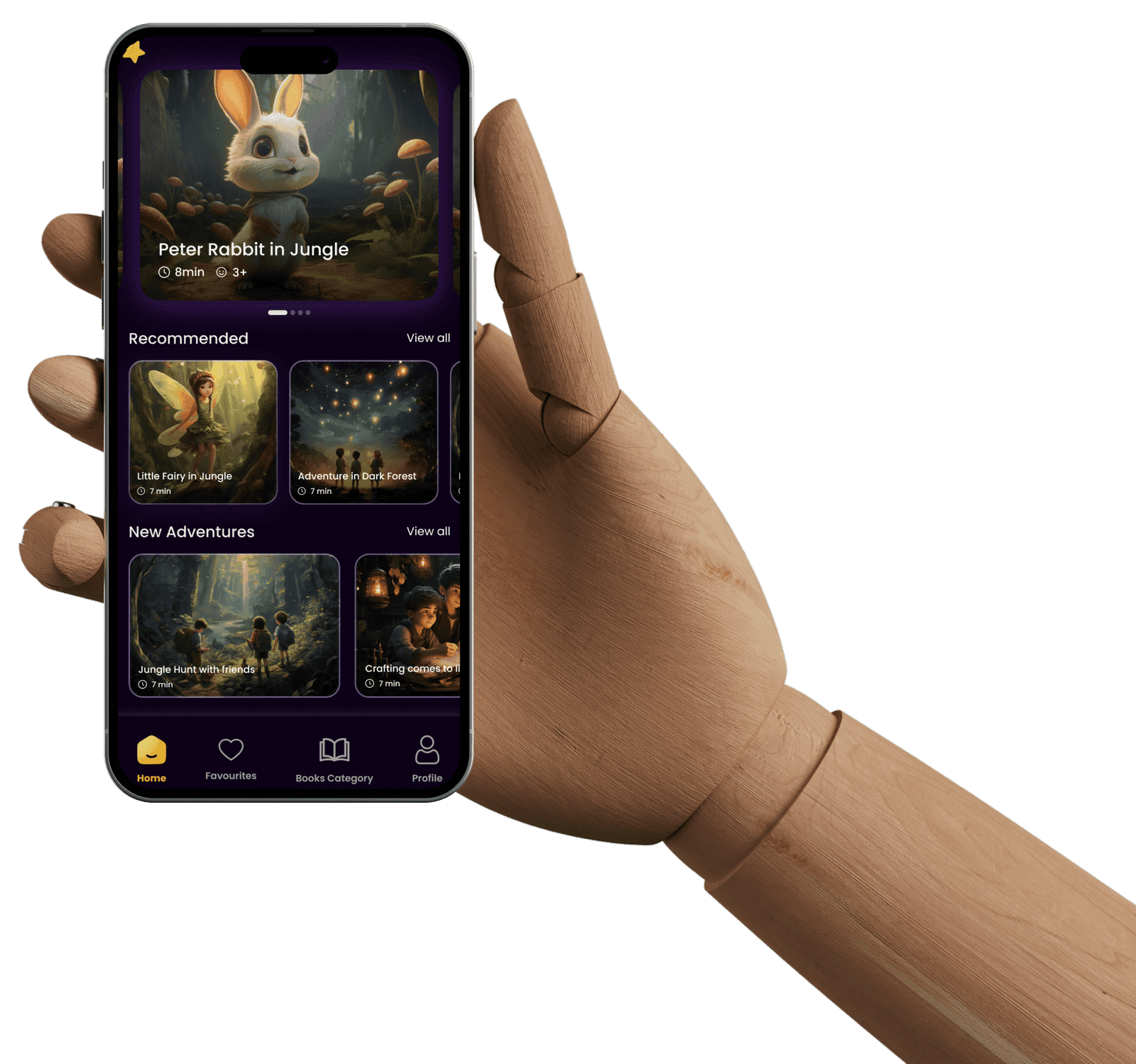
Native Swift apps that are fast, secure and built to Apple's standards.
Trusted by
§ Who it's for
We build native iOS apps for iPhone and iPad, and extend them to Apple Watch and macOS when your users need it. Our team handles consultation, interface design, development in Swift and SwiftUI, testing and App Store release, then keeps the app current with each iOS version. Whether it is a consumer app or an internal enterprise tool, you get an app that follows Apple's guidelines and is ready to grow.
If analytics or market research show most of your customers use Apple devices, launching natively on iOS first gives them the smoothest experience and lets you learn before building for Android.
Health data, Apple Watch companions, widgets, Live Activities, Apple Pay, camera and AR features work best, and sometimes only, with native Swift code.
We modernise legacy codebases step by step, moving screens to SwiftUI and updating dependencies without a risky full rewrite.
Field teams, retail staff or clinicians on company iPads and iPhones, with distribution through the App Store, Apple Business Manager or a private channel.
§ What we deliver
Choose an area to see the services in it.
Plan the right app and make it feel at home on Apple devices.
Native apps built for your business goals.
One consistent experience across the Apple ecosystem.
Stable releases and an app that stays current.
§ Proof
Featured case study
Discover how our AI development team built Storybee, an innovative storytelling app that uses AI to create personalised, engaging stories for every user.
Read the case study§ Approach
We run stakeholder workshops, review competitors and prioritise features to define what the first release must do.
You receive Scope and prioritised feature list
We choose the architecture and stack, and set the timeline, milestones and team for the project.
You receive Project plan and timeline
We wireframe key screens and flows, test an interactive prototype, then create high-fidelity iOS UI.
You receive Approved designs and prototype
We build the app in Swift and SwiftUI with backend and API integration, sharing demo builds each iteration.
You receive Working demo builds each iteration
We test functionality, performance, security and devices, run user acceptance testing and manage App Store submission.
You receive App Store release
We monitor performance, fix bugs and update the app for new iOS versions and features.
You receive Ongoing support plan
§ Tech stack
§ Engagement
iOS cost depends on the number of screens and user roles, the devices you target (iPhone only, or iPad, Watch and Mac too), use of hardware features such as HealthKit or AR, the backend you need and how much custom animation the design calls for.
Discovery, design, build and launch for a defined first release, priced after discovery.
Swift developers who join your team and work in your sprint process, tools and code review.
Audits, SwiftUI migration, iOS version updates and fixes for an app that is already live.
§ FAQs
It depends on features, design complexity and the type of app. We give you a detailed estimate once we understand your requirements.
Typically 4 to 16 weeks, depending on complexity, features and the testing required. You get a project timeline during the planning phase.
You get regular updates in a project management tool such as Jira, Trello or Asana, weekly reports, demo builds you can install and test, and direct access to the development team.
Yes. We review your UI/UX designs for technical fit with iOS first, flag anything that needs adjusting, and then go straight into development.
Yes. We can extend an iPhone app to iPad, Apple Watch and macOS, keeping functionality and the user experience consistent across devices.
Yes. We offer ongoing maintenance with performance monitoring, bug fixes, feature enhancements and updates for new iOS versions, so the app stays secure and compatible.
For new apps we default to SwiftUI because it is faster to build and easier to maintain, and we use UIKit where a component or older iOS version needs it. In existing UIKit apps we add new screens in SwiftUI and migrate older ones gradually, so you are never blocked by a full rewrite.
Rejections are usually about privacy disclosures, login options, in-app purchase rules or incomplete metadata. We prepare submissions against Apple's review guidelines to avoid the common issues, and if a review raises a problem we fix it and resubmit as part of the launch work.
Yes, we recommend it. Publishing under your own account means you own the listing, ratings and revenue. We help you enrol and then work in App Store Connect with access you control.
Yes. Depending on the feature we run models on the device with Core ML for speed and privacy, or call cloud AI services through your backend for larger tasks such as chat, summaries or image analysis.
§ In detail
Screens designed to Apple's Human Interface Guidelines, including Dynamic Type, dark mode and accessibility labels, so the app feels at home on the platform.
A modular Swift and SwiftUI project with unit and UI tests, clear architecture and dependencies managed through Swift Package Manager.
Internal and external TestFlight builds so your team and early users can try every milestone before release.
App Store Connect setup, privacy nutrition labels, screenshots, review notes and handling of any reviewer questions or rejections.
Crash reporting, performance tracking and a plan for each new iOS release, so the app keeps working as Apple changes the platform.
§ Contact
Share your idea or designs. An iOS specialist will review them with you and suggest the best way to build.